
Photo Requirements
A good photo makes a real difference.
Why we need your photo
Your photo is an important part of your Coherence Healing as it helps our Healers connect with you.
During the session, it is shown on screen with your first name, helping our Healers focus their intention and bring the field around you into greater coherence.
You will be asked to upload a photo when you book. The booking form lets you crop it before submitting.
Your photo needs to meet the requirements below for your session to go ahead as planned.
If not, we will need to cancel your appointment and ask you to rebook.
What makes a good photo
- A favourite photo that represents the person well
- Only the person receiving the healing should be visible in the photo
- A few years old is fine, as long as it is still a good representation of them
- Clear, with your face fully visible
- From the shoulders up
- Eyes open and looking straight at the camera
- Smiling if possible — it really does help
Good photo examples
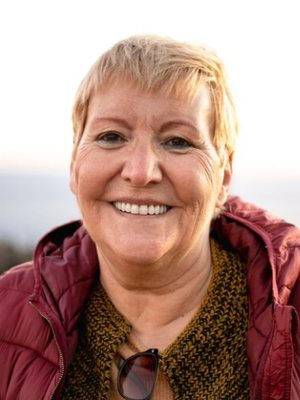
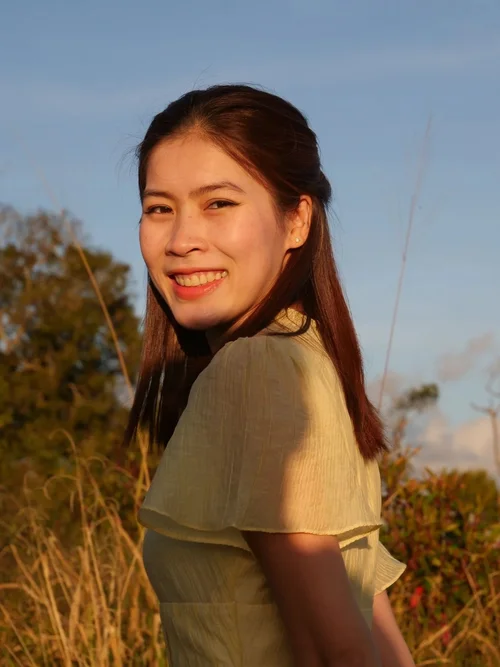
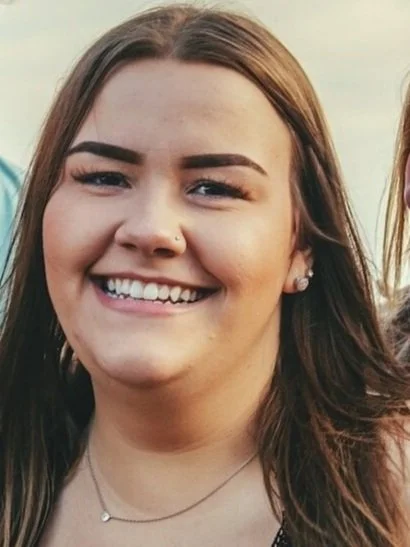
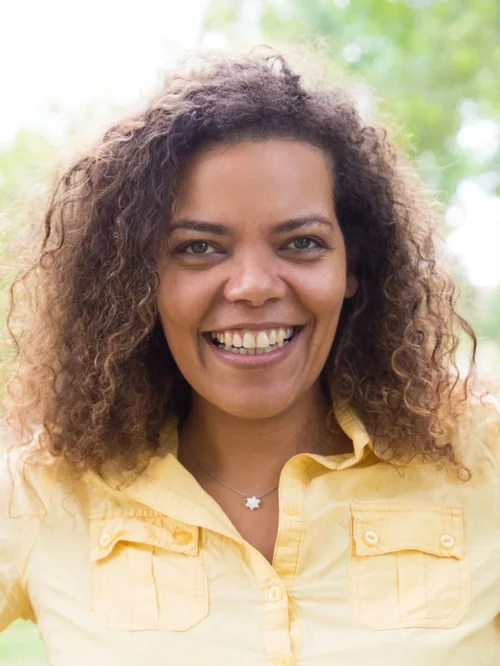
Only the person receiving the healing should be visible. A group photo is fine if everyone else is completely cropped out.
Photos to avoid
- Closed eyes, sunglasses or looking away from the camera
- Blurry or dark photos
- Photos showing the whole body
- Sideways or angled photos
- Other people or animals in the photo
- Photos where the person looks very unwell or medical equipment is visible
- Childhood photos if the person is now an adult
- AI-generated or AI-edited photos
Photos that are not suitable


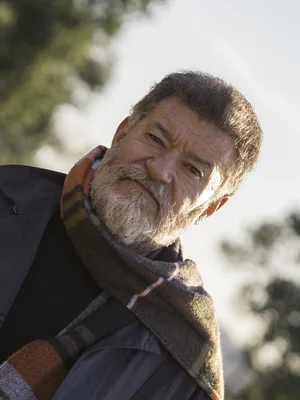

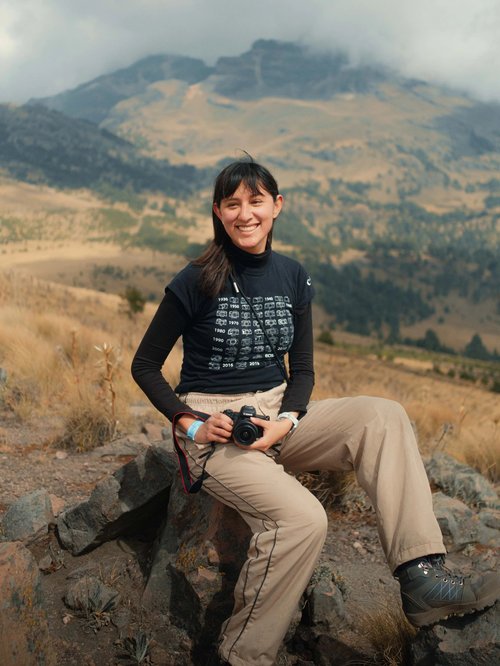
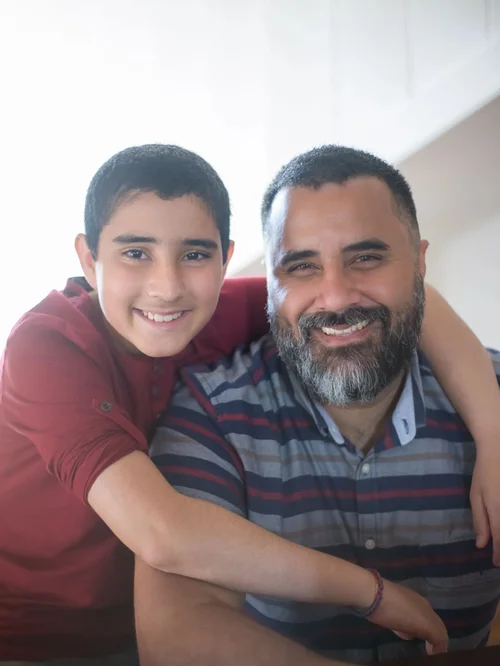
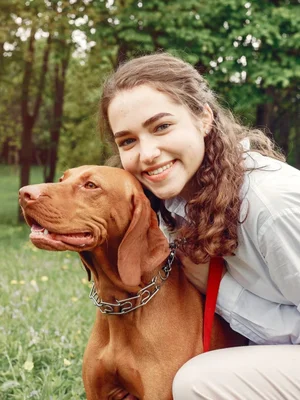
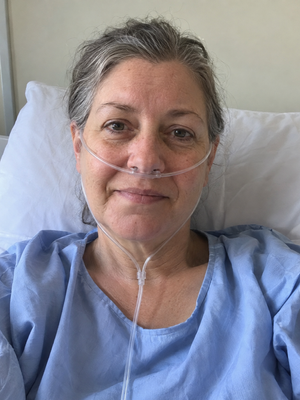
Image file formats
Using an iPhone?
iPhones often save photos as HEIC files, which our system cannot use. Please use a JPEG photo instead.
Before taking a new photo
Open Settings → Camera → Formats on your iPhone and choose Most Compatible.
New photos will be saved as JPEG files, ready to upload.
Already have a photo?
This setting does not change photos you already have. If your photo is an HEIC file, take a new photo after changing the setting above, or convert your existing photo to JPEG before uploading it.
